Difference between revisions of "Map Editing"
| Line 1: | Line 1: | ||
| − | {{ | + | {{MainTemplateModern |
| − | + | | welcome = [[File:Forum Logo.png|left|alt=Map Customisation]] | |
| − | | welcome | + | | blurb = Customising Holdfast maps with props, rotations, and interactables. |
| − | | blurb | + | | sections_title = On this page |
| − | | sections_title | + | | sections_content = * [[#Starting_Maps|Starting Maps]] |
| − | | sections_content | ||
| − | * [[# | ||
* [[#Positioning|Positioning]] | * [[#Positioning|Positioning]] | ||
| − | * [[# | + | * [[#Placing_Props|Placing Props]] |
| − | ** [[# | + | ** [[#Decorative_Props|Decorative Props]] |
| − | ** [[# | + | ** [[#Interactable_Props|Interactable Props]] |
| − | *** [[# | + | *** [[#Weapon_Racks|Weapon Racks]] |
| − | *** [[# | + | *** [[#Firearm_Ammoboxes|Firearm Ammoboxes]] |
| − | * [[# | + | * [[#Polishing_Up|Polishing Up]] |
| − | * [[# | + | * [[#Community_Maps|Community Maps]] |
| − | + | | about_title = About | |
| − | | featured_title | + | | about_content = Holdfast allows server owners to customise existing maps using map rotations and object overrides. |
| − | | featured_content | + | | featured_title = Guide |
| − | | | + | | featured_content = {{:{{FULLPAGENAME}}/Body}} |
| − | | | + | | news_title = Notes |
| − | | | + | | news_content = * 2025-09-23 — Guide migrated to MainTemplateModern. |
| − | + | | image_content = [[File:Holdfast_CustomMap.jpg|frameless|upright=1.1|alt=CustomMap preview]] | |
| − | + | | show_tools = yes | |
| − | | | + | | tools_title = Edit Body |
| − | | | ||
}} | }} | ||
Revision as of 17:05, 23 September 2025
<templatestyles src="MainTemplateModern/styles.css" />
 |
Customising Holdfast maps with props, rotations, and interactables. |
|---|
<aside class="hf-left" role="complementary">
On this page
</aside>
<main class="hf-center" role="main">
<section class="hf-card" id="about">
About
Holdfast allows server owners to customise existing maps using map rotations and object overrides.
</section>
<section class="hf-card" id="featured">
Guide
Holdfast allows server owners to customise existing maps to create a whole new experience. You can add props, change spawns, weapon setup, class limits, and more until you’ve created something entirely new. Map customisation is defined using Template:Ll in the configuration file.
Starting Maps
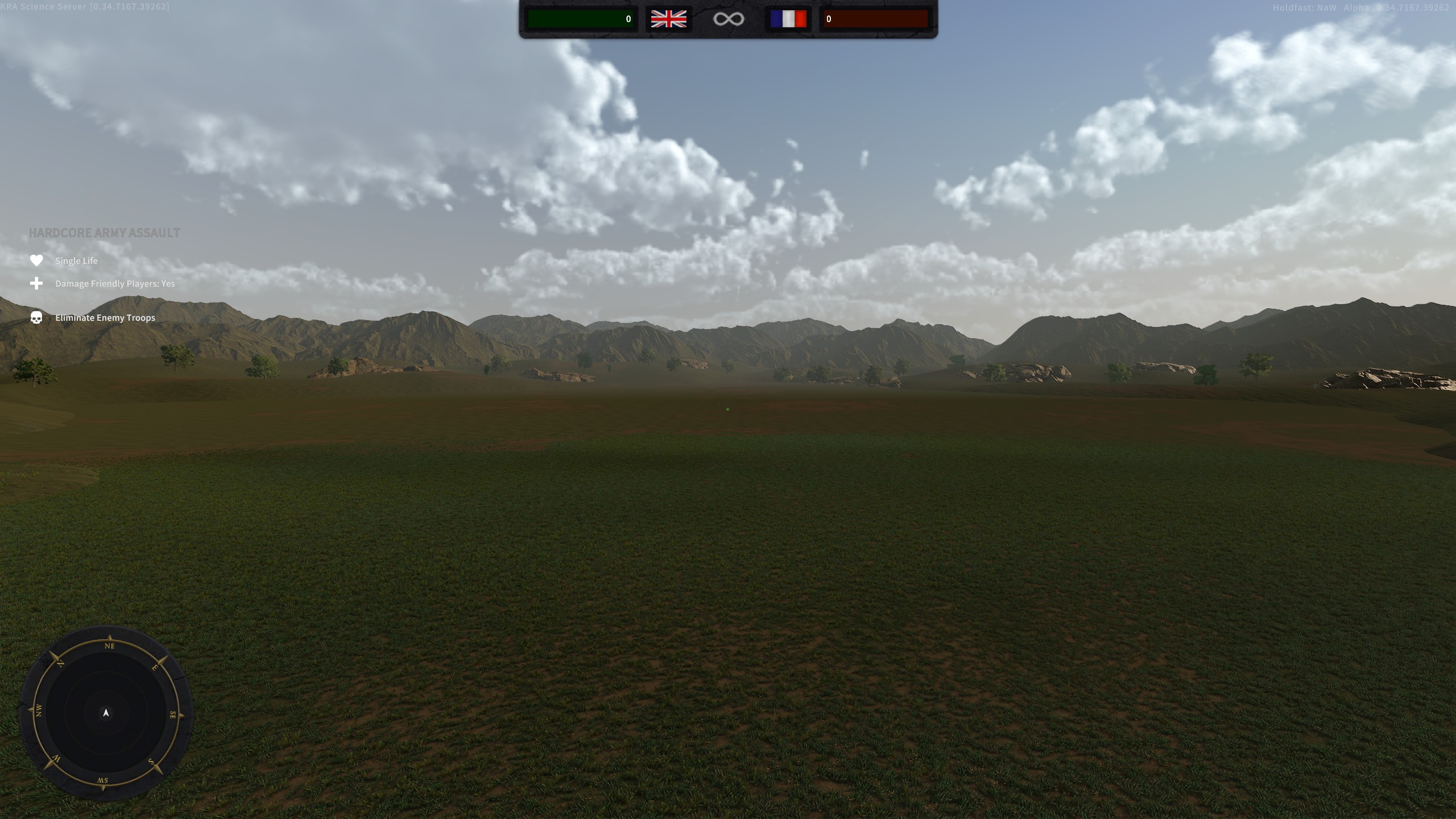
As well as building upon the normal Template:Ll, there are two flat and empty maps that are perfect to let your imagination run wild: CustomMap and CustomMapNaval. As you’ll likely spend plenty of time setting up your new map, create a new Template:Ll with an unlimited timer and open spawns, e.g.:

!map_rotation start
map_name CustomMap
game_mode ArmyBattlefield
round_time_minutes -1
reinforcements_per_faction 9000
wave_spawn_time_seconds 1
max_player_respawns -1
faction_balancing false
allow_midround_spawning true
allow_faction_switching true
allow_spectating true
minimum_players -1
maximum_players 150
time_hour 8
time_dynamic false
friendly_fire true
weather_preset calm
weather_dynamic false
game_type hardcore
!map_rotation end
To refresh changes to your map without restarting your server, issue the following (substitute the correct rotation index):
rc fileReloader serverConfigFile
rc mapRotation 1
Positioning
Before placing a prop, decide where it goes and which way it faces. Stand where you want it in-game, open the console with F1 and type get.

This prints your position and rotation:
playerPosition => (15.3, 16.8, 146.9)
playerRotation => (0.0, 218.0, 0.0)
- Position is (X, Y, Z). Positive X is North, positive Y is up, positive Z is West.
- Rotation is degrees around (X, Y, Z). You’ll use Y most to turn objects; X and Z tilt.
- To face the opposite direction of the example above, use
(0.0, 38.0, 0.0)(218 − 180).
As of 0.35, get details also copies position & rotation to your clipboard for easy pasting.
Placing Props
Props range from simple decor (just position/rotation) to interactables (with extra parameters).
Decorative Props
See Template:Ll for the full list. Place a decorative prop with:
objects_override <prop> <pX> <pY> <pZ> <rX> <rY> <rZ>
- <prop> — Enum from Template:Ll
- <pX> <pY> <pZ> — Position (use
get playerPosition) - <rX> <rY> <rZ> — Rotation (use
get playerRotation)

Example—add a Target Dummy at the example coordinates:
!map_rotation start
map_name CustomMap
game_mode ArmyBattlefield
round_time_minutes -1
reinforcements_per_faction 9000
wave_spawn_time_seconds 1
max_player_respawns -1
faction_balancing false
allow_midround_spawning true
allow_faction_switching true
allow_spectating true
minimum_players -1
maximum_players 150
time_hour 8
time_dynamic false
friendly_fire true
weather_preset calm
weather_dynamic false
game_type hardcore

objects_override TargetDummy 15.3 16.8 146.9 0.0 218.0 0.0
!map_rotation end
Interactable Props
These require extra arguments.
Weapon Racks
Players can hold E to take weapons from a rack (limited supply).
objects_override WeaponRack <Object Position> <Object Rotation> <Weapon> <Number Of Weapons In Rack>
- <Object Position> —
x y z(useget playerPosition) - <Object Rotation> —
x y z(useget playerRotation) - <Weapon> — Enum from Template:Ll
- <Number Of Weapons In Rack> —
0–255
Example
# Override Commands (This is a comment and will be ignored by the game)
objects_override WeaponRack 1 2 3 7 8 9 Rifle_Pattern1800Infantry 4
Place this between !map_rotation start and !map_rotation end.
Firearm Ammoboxes
Customisable ammo boxes for RP/events. Players replenish ammo on use.
objects_override firearmammobox <Object Position> <Object Rotation> <Firearm> <Maximum Interactions Until Depletion> <Ammo Given> <Maximum Interactions Allowed Per Player>
- <Object Position> —
x y z - <Object Rotation> —
x y z - <Firearm> — Enum from Template:Ll
- <Maximum Interactions Until Depletion> —
0–255total uses - <Ammo Given> —
0–255rounds per use - <Maximum Interactions Allowed Per Player> —
0–255per-player cap
Example
# Override Commands (This is a comment and will be ignored by the game)
objects_override firearmammobox 1 2 3 7 8 9 Rifle_Pattern1800Infantry 20 2 1
Place this between !map_rotation start and !map_rotation end.
Polishing Up
Once your map is laid out, adjust class limits, spawns, and other settings as usual via the Template:Ll guide.
Community Maps
The Holdfast modding community shares custom map configs and assists new modders. Join via the official Discord:
Once joined, go to #getting-started and react to the pinned message to unlock the Modding Bench channels.
</section>
<section class="hf-card" id="news">
Notes
- 2025-09-23 — Guide migrated to MainTemplateModern.
</section> </main>
<aside class="hf-right" role="complementary">
Edit Body
Body
- Edit body (VE)
- Edit body (source)
- Body history
- Last body edit: Xarkanoth — 2025-09-23 17:18 \1758647938\UTC\C
</aside>